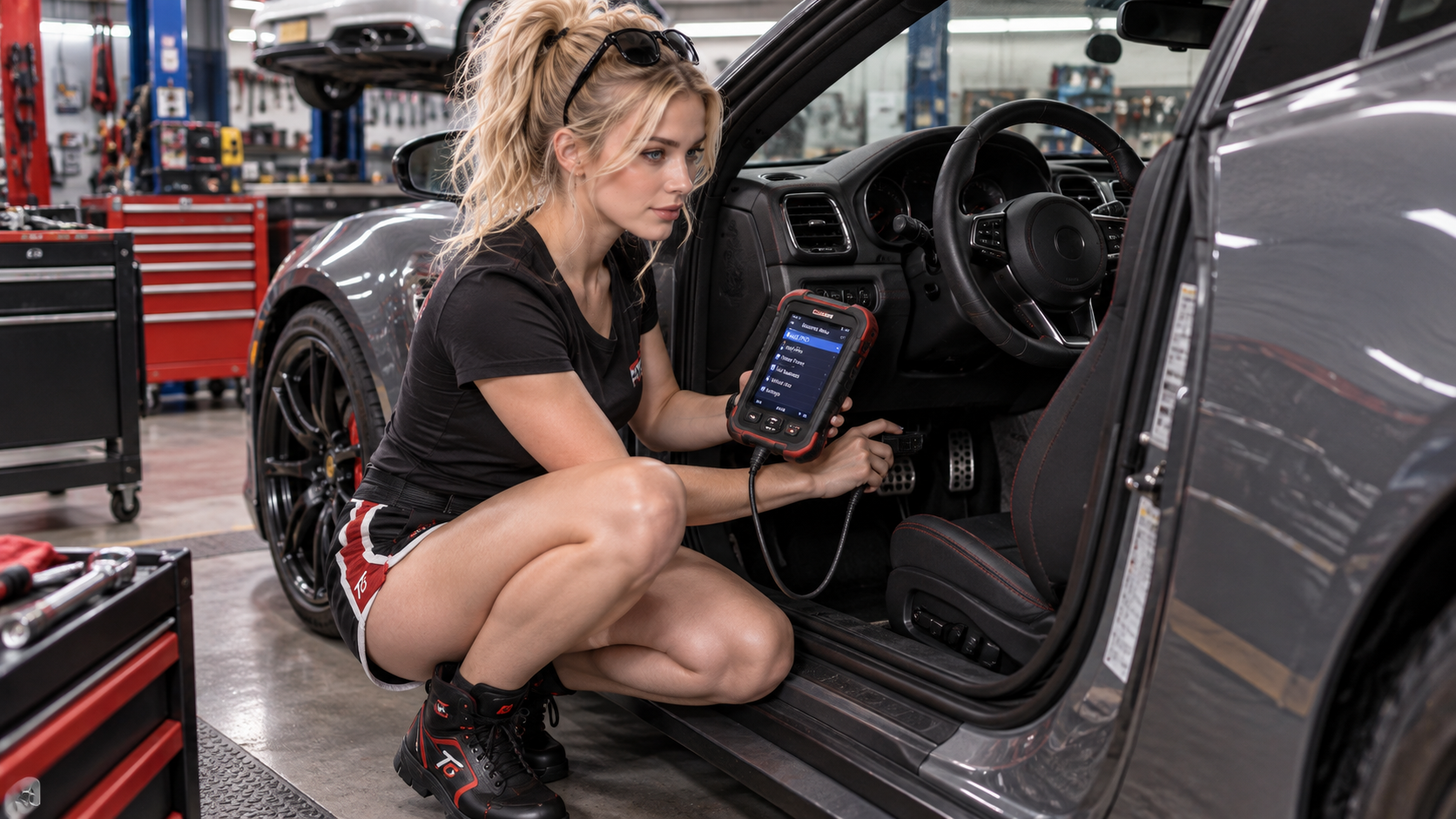
A check-engine light can turn a normal drive into a guessing game. Is it a loose fuel cap, an ignition problem, an emissions fault, or something more urgent? An OBD2 scanner gives you a way to ask the vehicle’s onboard computer what it has noticed before you start replacing parts.
That distinction matters. A scanner is a diagnostic starting point, not a magical device that names the failed component. The useful skill is learning how to turn a code into a sensible next test.
Have a CSV or TSV recording? Open the TorqueGirl OBD2 Log Analyzer to review its mapping, inspect the timeline and compare operating regions locally in your browser.
What is OBD2?
OBD means On-Board Diagnostics. OBD2, also written OBD-II, is the standardized diagnostic system used by modern vehicles to monitor emissions-related systems and powertrain operation. It gives a compatible scan tool a common way to request information from the vehicle.
That standardization is why one basic code reader can work across many makes and models for generic engine and emissions data. The coverage is not unlimited, though. Manufacturer-specific modules and functions may use different data, access rules, and tool capabilities.
The system watches sensors and control systems while the car operates. When it detects an abnormal condition, it can store a Diagnostic Trouble Code (DTC), capture supporting information, and—in the right circumstances—command the malfunction indicator lamp.
What does an OBD2 scanner actually do?
At the basic level, a scanner communicates with the vehicle and presents the information the car makes available. Common functions include:
- Reading stored and, when supported, pending Diagnostic Trouble Codes.
- Viewing live data such as engine speed, coolant temperature, fuel trims, and sensor readings.
- Checking freeze-frame information captured when a fault was recorded.
- Viewing emissions readiness monitor status.
- Clearing codes and the warning light after recording the evidence and addressing the underlying problem.
More advanced tools may also access ABS, airbag/SRS, transmission, body, or network modules. They may offer service resets, adaptations, or bidirectional controls. Those features are not the same as generic OBD2 engine/emissions access, so always check the tool’s coverage for the exact vehicle and system.
Where does an OBD2 scanner plug in?

The OBD-II diagnostic connector is a standardized 16-pin socket. It is usually accessible from the driver’s area, often below the lower dashboard or near the steering column. Some vehicles place it behind a small trim cover or slightly farther to the side, so consult the owner’s manual if it is not immediately visible.
With the vehicle parked, locate the port and connect the scanner firmly. Do not force the plug or probe random connectors. The OBD-II port is the diagnostic connector you are looking for; the surrounding wiring is not an invitation to test by trial and error.
How to use an OBD2 scanner
The exact menu names vary, but the diagnostic workflow is remarkably consistent:
- Park safely, switch off the engine unless the tool’s instructions say otherwise, and keep the vehicle secure.
- Locate the OBD-II port and connect the scanner.
- Follow the tool’s instructions for the ignition position and allow it to identify the vehicle.
- Read stored and pending codes, then record every code and any freeze-frame information before clearing anything.
- Look at the code definition together with the symptoms, recent repairs, and vehicle history.
- Use live data or a targeted test to check the likely system instead of replacing the first part named in a search result.
- Repair the confirmed cause, clear codes only when appropriate, and verify the result.
Some live-data checks are most useful while the vehicle is running or being driven. Never operate a scanner while driving if doing so distracts you. Have another person monitor the tool, use a safe test area, or leave dynamic testing to a qualified technician.
What is a Diagnostic Trouble Code?
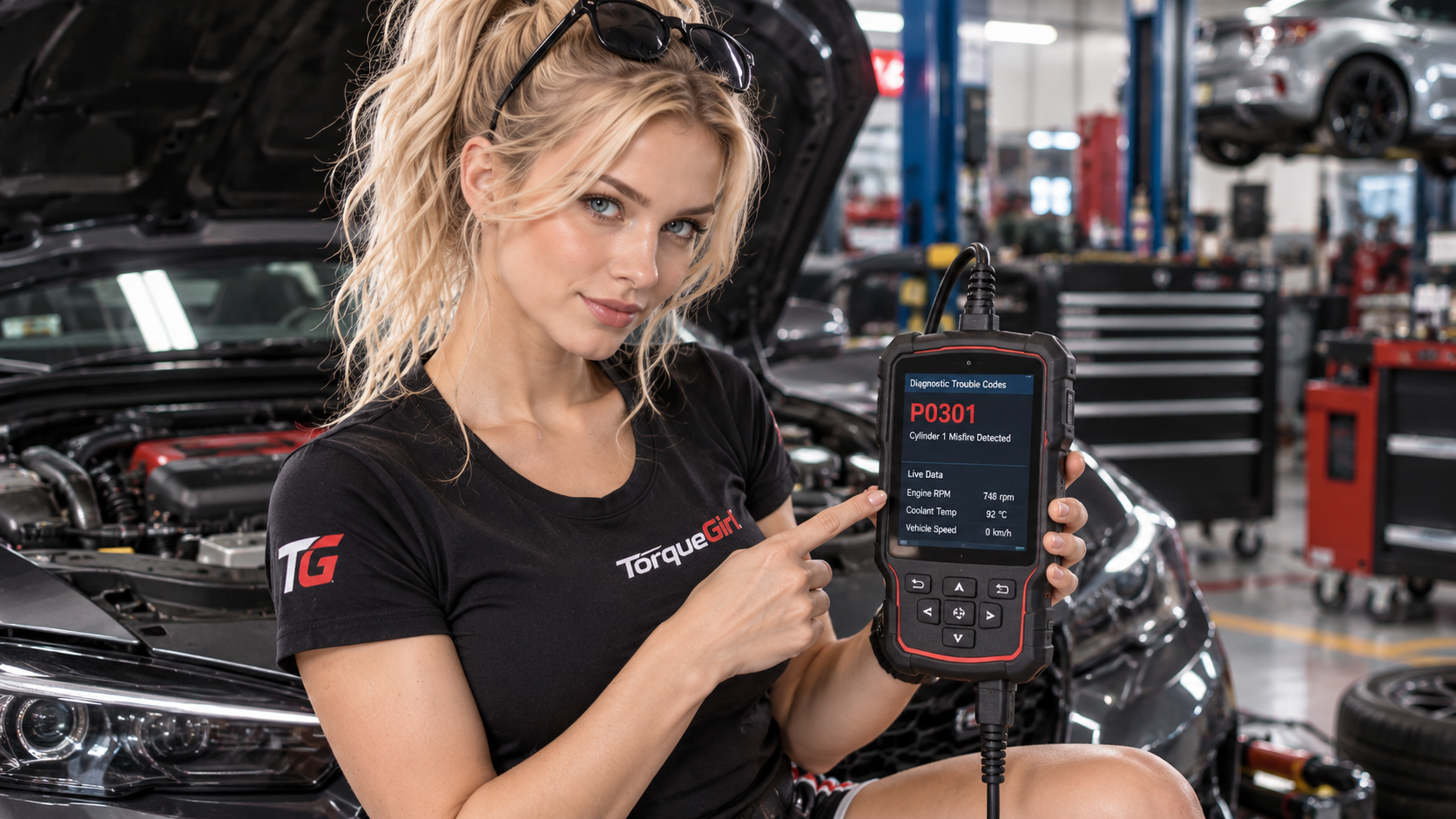
A Diagnostic Trouble Code is a compact label for a condition the vehicle’s computer detected. In the example shown here, P0301 generally indicates a misfire detected on cylinder 1.
The first character gives a broad family: P for powertrain, B for body, C for chassis, and U for network or communication. The remaining characters narrow the description. You do not need to memorize the whole code system to begin; you need to read the definition carefully and understand its limits.
A trouble code is a clue, not a parts list
This is the habit that saves the most time and money. A code tells you what the computer observed or where it found an abnormal signal. It does not automatically prove which physical component has failed.
For example, a P0301 misfire could involve ignition, fuel delivery, injector operation, compression or another mechanical condition, an air or vacuum issue, wiring and connectors, or another engine-management problem. The right response is to test the possibilities in a logical order.
That sequence is better than “scan → replace whatever component appears first on Google.” A code narrows the investigation. It does not remove the need for evidence.
What is live data?
Live data is the stream of measurements and status values the vehicle reports while the system is awake. Depending on the car and scanner, you may see engine RPM, coolant temperature, throttle position, vehicle speed, airflow or manifold pressure, oxygen or air-fuel sensor information, and short- or long-term fuel trims.
Live data adds context to a code. A temperature reading that never rises, a fuel trim that stays unusually high, or a sensor value that does not respond as expected can help you choose the next test. One number rarely proves a fault by itself, so compare readings with the vehicle’s operating conditions and service information.
To see how those readings become a timeline, continue with How to Analyze OBD2 Live Data and Logs. It explains channel context and how to compare recorded patterns before choosing a test.
Can an OBD2 scanner turn off the check-engine light?
Many scanners can clear stored codes and switch off the malfunction indicator lamp. That action erases or resets useful diagnostic information, however, and it does not repair the cause. If the fault remains, the code and light can return.
Clearing codes can also reset emissions readiness monitors to “not ready.” The vehicle then needs to complete its own drive-cycle checks before those monitors report a completed result again. Record the codes and freeze-frame data first, especially if the vehicle will be inspected or diagnosed by someone else.
Will an OBD2 scanner work with my car?
Compatibility depends on the vehicle market, model year, manufacturer, protocol, the system you want to access, and the scanner’s own coverage. Generic OBD2 support for engine and emissions data should not be confused with full-system access to ABS, airbags, transmission, or manufacturer-specific functions.
For an older, imported, modified, or unusual vehicle, check the manufacturer and model-year coverage before buying. A connector that physically fits does not guarantee that every function will be available.
What should you look for when buying an OBD2 scanner?
Start with the problem you actually want to solve. A beginner who wants to understand a check-engine light may only need a straightforward generic code reader. Someone maintaining several vehicles or diagnosing multiple systems may need deeper coverage.
Confirm the exact makes, models, years, and markets covered.
Separate generic OBD2 from ABS, SRS, transmission, and full-system diagnostics.
Look for the data views that match the kind of diagnosis you expect to do.
Choose the connection style that is stable, practical, and easy for you to use.
Check how coverage, updates, and support are maintained over time.
Bidirectional controls and service functions are useful only when your vehicle and skill level justify them.
Ease of use matters too: readable menus, clear definitions, saved reports, and a cable or adapter that stays connected are practical advantages. Price should follow your actual needs. A basic reader is not automatically bad, and a professional-looking tool is not automatically the right diagnostic answer.
OBD2 scanner FAQ
Can an OBD2 scanner damage my car?
A correctly designed, compatible scanner used at the diagnostic port should not damage the vehicle. Do not force the connector, short pins, or use an unknown device with unclear wiring.
Can I use an OBD2 scanner with the engine running?
Some functions are designed for the engine running, while code reading may be done with the ignition on and engine off. Follow the scanner and vehicle instructions, and never let the tool distract you while driving.
Can an OBD2 scanner reset a check-engine light?
Many can clear codes and switch the light off temporarily. Clearing the code is not a repair, and the light may return if the fault remains.
Does OBD2 diagnose ABS and airbags?
Not every basic reader does. ABS and SRS access requires a scanner with the correct vehicle-specific modules and coverage.
Is a Bluetooth OBD2 adapter enough for beginners?
It can be, if the adapter, app, and vehicle are compatible and the app explains the data clearly. A wired handheld tool may be simpler when reliability and direct operation matter more than phone features.
What is the difference between a code reader and a professional scan tool?
A code reader usually focuses on generic engine and emissions codes. A professional scan tool may access more modules, show deeper data, run tests, perform service functions, and provide broader manufacturer coverage.
Once you understand the scan as the first step rather than the final answer, vehicle diagnostics become much less mysterious. If you are deciding how much tool you actually need, continue with OBD2 Scanner vs Code Reader, then learn how to interpret the result in How to Read OBD2 Codes. For more TorqueGirl explanations of the systems behind performance, explore how a Formula 1 car creates downforce, how turbochargers and superchargers move air, and how a NASCAR V8 engine works.